
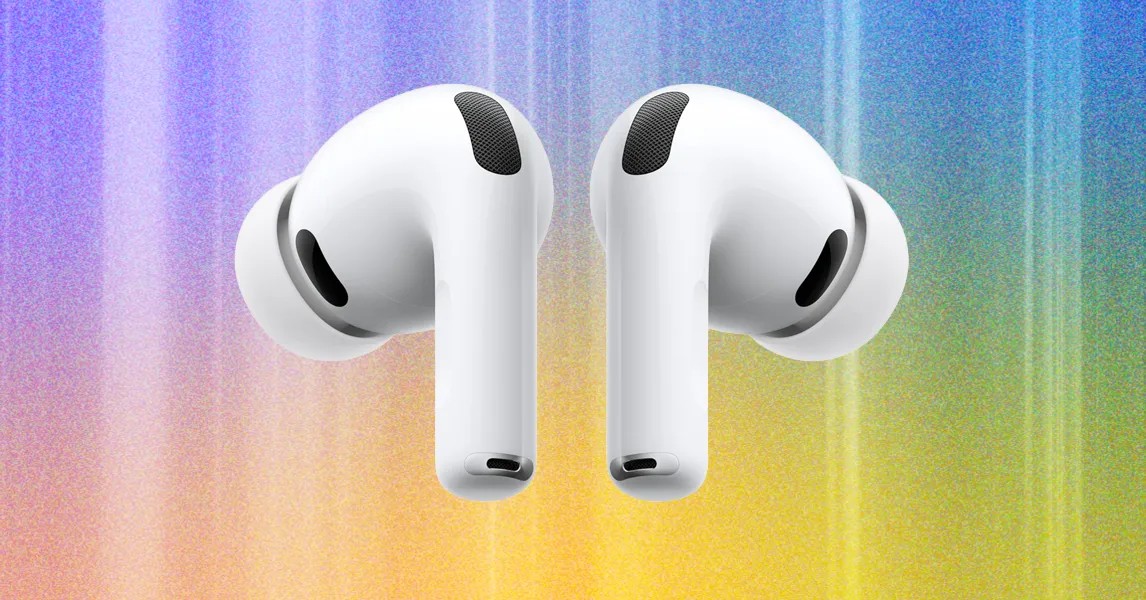
AirPods have become ubiquitous, but even with their simplicity, users often encounter issues. This guide addresses common questions and troubleshooting steps for Apple’s popular wireless headphones, from connectivity problems to lost earbuds.
Compatibility: AirPods with Android and Beyond
While AirPods integrate seamlessly with Apple devices, they function with Android smartphones and PCs via standard Bluetooth. However, users sacrifice key Apple-specific features, such as automatic device switching, Siri integration, and customized settings. Beats headphones strike a balance, offering both Apple and Android compatibility with dedicated Android apps.
Lost AirPods: Replacement and Tracking
Losing an AirPod is common. Apple allows individual replacements (left or right) through their online store or AppleCare+, though the latter doesn’t cover loss or theft. The “Find My” app (available for AirPods 3 and newer, AirPods Pro all versions, and AirPods Max) provides real-time location tracking.
If your AirPods are offline, the app displays their last known location. Ensure they’re charged and within range to re-establish connectivity.
Charging Issues: Troubleshooting Steps
AirPods charging problems are frequent. First, verify the cable or wireless charger connection (Apple-certified cables are recommended). Allow at least 15 minutes for charging before checking the battery status on your Apple device. For AirPods Max, a 5-minute charge is sufficient to test connectivity. If issues persist, contact Apple Support.
Audio Problems: One AirPod Silent?
If one AirPod isn’t working, ensure both are fully charged by placing them in the case for at least 30 seconds. Confirm charging status on your iPhone or iPad. If still silent, a reset may be necessary.
Crackling or Static Noise?
Crackling or static sounds often indicate software glitches or wireless interference. Update your Apple device’s operating system, minimize obstructions between your headphones and your paired device (walls, excessive Wi-Fi activity), and test audio in different apps to rule out software conflicts.
Active Noise Cancellation (ANC) Not Functioning?
If ANC isn’t working, update your Apple devices’ software. Check Control Center to verify ANC is enabled. Adjust listening modes through the volume slider. Earwax or debris buildup in the microphones and speakers can also interfere with ANC performance, so regular cleaning is essential.
Siri Notifications Annoying You?
Siri’s notification announcements can be disruptive. To disable them, open Settings > Siri & Search > Announce Notifications, then toggle the feature off.
Cleaning AirPods: Maintaining Hygiene
AirPods accumulate earwax and debris. Use a soft, dry, lint-free cloth to clean them regularly. Apple provides detailed cleaning instructions for each model on their support website.
Conclusion:
AirPods remain a popular choice for wireless listening, but occasional technical issues are inevitable. By following these troubleshooting steps, users can resolve common problems and maintain optimal performance. Regular software updates, proper charging, and diligent cleaning are key to ensuring a smooth user experience.